Getting Started
Section outline
-
Highlighted
Start with this section and learn key information about the course before beginning your journey. Complete the four quizzes throughout this course to receive a digital badge. Navigate through the course by clicking on the Contents links on the left or the arrows that appear at the bottom of the page. Resources and videos are set to open in a new window.
The picture below shows what are called "Learning Activity Cards" or "Activity Cards." Clicking on the title of an activity card will open the activity and allow you to view the content inside of it.
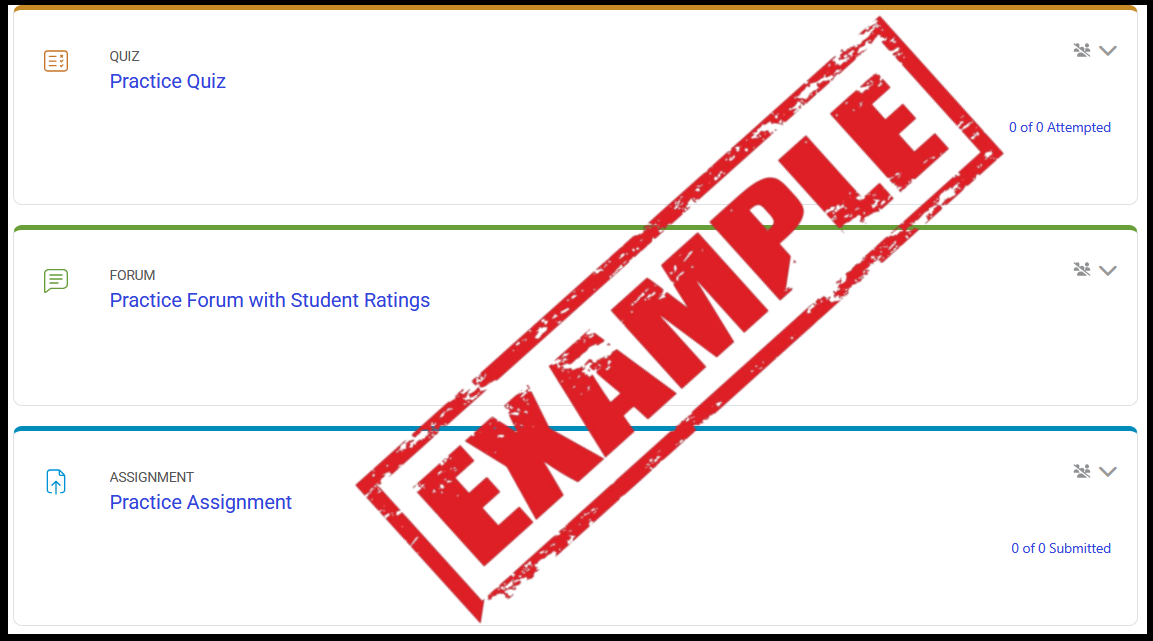
Click on the title of the "Start Here First" H5P activity below to get started.
-
-
Students mustView

This book includes information in relation to this course and the key resources in it. Click on the chapter links or navigation arrow icons to access each section of information.
Once you have read through the whole book, click the "Getting Started" link in the breadcrumbs trail at the top left of the page to return to the course.
-
-